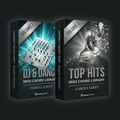
Access proven chord progressions from 1950-2021 used by Michael Jackson, Drake, Ariana Grande, Guns N Roses, Tiesto, David Guetta and 500+ artists Get instant access to over 50,000+ Famous MIDI...
100%human-made MIDI chords and progressions. No AI.
Save$44
Human-made by NikoConcert pianist, no AI.
All 12 keysEvery pattern in every key.
Works in any DAWDrag and drop into Ableton, FL Studio, Logic and more.
How it works
Better chords in three steps
Famous_Chord_Library_Vol._MIDI files1DownloadInstant access after checkout
Am-Esus4-Em7(no3)-F-Dm7-Esus4-Em.mid2Drag it into your DAWDrop any file on an instrument track
Sound Warm padKey +3Tempo 1403Make it yoursChange the sound, the key or the tempo
Works in every DAW
How to use it
Drag a file into your DAWPlay it with any soundChange the keySet any tempoDrag it in, then make it yours
My trackGrand pianoWarm padGrand pianoWarm padStringsPluck90 BPM120 BPM
Chords
Am-Esus4-Em7(no3)-F-Dm7-Esus4-Em.mid
Bass
Drums
+3 semitones
Am-Esus4-Em7(no3)-F-Dm7-Esus4-Em.mid
What’s inside
12keys
All 12 keysEvery pattern in every key
C
Db
D
Eb
E
F
Gb
G
Ab
A
Bb
B
Every file is named and sorted by keyAm-Esus4-Em7(no3)-F-Dm7-Esus4-Em.mid
Human-made. No AI used.
“These are the exact melodic patterns and chord progressions I use in my own productions.”
Niko KotoulasConcert pianist and producer, 26+ years at the piano
Questions
Good to know before you buy
Will it work in my DAW?Yes. Any DAW that reads MIDI, on Mac or Windows.
Is any of it made with AI?No. Every file is handcrafted by Niko Kotoulas.
Can I change the key and tempo?Yes, and every file already comes in all 12 keys.
What if it’s not for me?Email us within 30 days for a full refund.
Reviews
“Niko is the GOAT when it comes to MIDI files.”
BoloMulti-Platinum Producer
“Niko’s MIDI packs have made my life so much easier when I’m doing a new writing session with somebody.”
Ming Grammy-Nominated DJ & Producer
“When I first got access to these MIDI packs my jaw hit the floor.”
Mondry Songwriter & Artist
Access proven chord progressions from 1950-2021 used by Michael Jackson, Drake, Ariana Grande, Guns N Roses, Tiesto, David Guetta and 500+ artists Get instant access to over 50,000+ Famous MIDI...
Listen to the chords and progressions inside this pack
Reviews
What producers say
103,468+ artists & producers use our packs
Niko is the GOAT when it comes to MIDI files. Sometimes when I get in beat block, this is useful for me. It's very simple to find what you are looking for in these MIDI packs and I like how everything is set up.
BoloMulti-Platinum Producer
Niko's classes are amazing. If you are interested in chord structure, reading, arrangement, I highly recommend you take his classes. Niko's MIDI packs have made my life so much easier when I'm doing a new writing session with somebody.
MingGrammy-Nominated DJ & Producer
When I first got access to these MIDI packs my jaw hit the floor. The quality and quantity are both incredible.
MondrySongwriter & Artist
How it works
Better chords in seconds
Famous_Chord_Library_Vol._
Famous_Chord_Library_Vol._
C Major - A Minor
Chords17
Progressions119
Am-Esus4-Em7(no3)-F-Dm7-Esus4-Em.mid
Dm-Am-FMaj(b5)-Am.mid
Am(add2)-Bbm7(b5)-A-Dsus2-Dm.mid
Db Major - Bb Minor
D Major - B Minor
Eb Major - C Minor
E Major - C# Minor
1Step 1
Download
Get instant access to your MIDI files after purchase. Unzip and you’re ready to go.
My track120 BPM
Chords
Am-Esus4-Em7(no3)-F-Dm7-Esus4-Em.mid
Bass
Drums
2Step 2
Drag it into your DAW
Drag a MIDI file onto any instrument track. Works with Ableton, FL Studio, Logic Pro and more.
Sound Warm padTempo 140 BPMKey −3
3Step 3
Make it yours
Change the sounds, edit notes, adjust velocities. Make it uniquely yours.
Works in every DAW that reads MIDI
Ableton Live
FL Studio
Logic Pro
GarageBand
Cubase
Pro Tools
Studio One
Reaper
Bitwig Studio
Reason
Plus LMMS, Mixcraft and more, on Mac and Windows.
26+ yrsConcert pianist
Meet the creator
Made by hand by Niko Kotoulas
“I created this MIDI pack to help you create better music & give you the songwriting inspiration that took me decades to develop. These are the exact melodic patterns and chord progressions I use in my own productions.”
Concert pianist and producer with 26+ years of experience in advanced harmony. Every progression features real human expression: natural velocity dynamics and intentional voice leading.
30-day money-back guaranteeNot for you? Email us within 30 days and we’ll refund you in full, no questions asked.
Will these work in my DAW?
Absolutely. MIDI is universal, so the files work in any DAW that supports MIDI, on Mac and Windows, including:
FL Studio
Ableton Live
Logic Pro X
GarageBand
Cubase
Pro Tools
Studio One
Reaper
Reason
Bitwig
LMMS
Mixcraft
They also work with any VST/AU plugin or hardware synthesizer that accepts MIDI input.
Is any of it made with AI?
No. Every file is handcrafted by Niko Kotoulas, a professionally trained pianist and producer. Not generated by AI or algorithms: you’re getting real musicianship and years of experience in every chord.
Can I use them in music I release?
Royalty-free for personal and professional music production. If a song using our content surpasses 1,000,000 streams on Spotify, we kindly request a songwriter credit for Niko Kotoulas.
Yes. That’s one of the biggest advantages of MIDI: change the tempo to any BPM, transpose to any key, edit individual notes and adjust velocity, with no loss in quality. Every file is also included in all 12 keys, so you can find the right match instantly.
How do I get my files?
Instantly. Right after you buy, you’ll get an email with a download link, and your files are always in your account at musiccreator.com.
Is it a one-time purchase?
Yes. Pay once and the files are yours forever. No subscriptions, no recurring fees.
What exactly is a MIDI file?
MIDI files contain musical data (notes, timing, velocity and duration) but no actual audio. Think of them as digital sheet music that tells your software instruments what to play, so you can change the tempo, the key and the sound without any loss in quality.
How do I use a MIDI file?
Drag and drop the .mid file onto a MIDI or instrument track in your DAW.
Assign a sound by loading your favorite synth, piano or any virtual instrument on that track.
Customize it by changing notes, adjusting timing, switching keys or altering the tempo to fit your track.







 Human-made. No AI used.
 Niko KotoulasConcert pianist and producer, 26+ years at the piano
 Ableton Live
 FL Studio
 Logic Pro
 GarageBand
 Cubase
 Pro Tools
 Studio One
 Reaper
 Bitwig Studio
 Reason